SpringboardVR Partnership
Last updated: December 17, 2021
Overview
SpringboardVR is a virtual reality management software solution. It helps clients streamline their operations; from VR hardware to location management.
How it Works
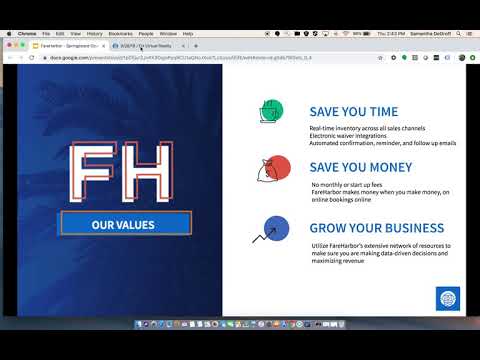
FareHarbor connects to Springboard via our Webhook functionality, sending data for all the bookings made through the client’s dashboard. Click on the following image to watch a video about how this works:
Tiers
- Mid-Market
- Enterprise
Pricing
- Standard Plan is $30 per month per station
- $25 per month per station if the client has more than 10 stations
Supported Countries
- Global
Referring a Client to SpringboardVR
- For warm transfers to Springboard’s sales team, email FareHarbor@SpringboardVR.com
Additional Notes
- Springboard has its own form of resources that they use FareHarbor customer types to trigger. FareHarbor resources DO NOT send in the webhook, so if a client is asking about resources showing in Springboard (or stations) that is a question for their Springboard rep.
- Springboard does not automatically pull new customer types. If a client is adding new customer types they need to also reach out to Springboard to make updates. *SpringboardVR has a customer facing online booking widget, so make sure the client is aware that all bookings MUST be made through the FareHarbor dashboard. This is a deal breaker.
How to Enable Springboard
- To enable Springboard follow the steps outlined here.
Onboarding & Support
Builders
When building a Dashboard that will be used in the SpringboardVR-FareHarbor integration, please follow these standards:
- Always use durations when creating availabilities.
- When building items make sure that they always consist of timeframes (i.e., One VR Room, Half Hour VR Room).
- When building Customer Types make sure that there is not more than one customer type per item. SpringboardVR’s system cannot map out data correctly when there is more than Customer type per item.
- Avoid using resources (Springboard has a better setup for handling VR resources).
- Keep setups as simple as possible.
If you want to see some examples of dashboards currently working correctly with the Springboard integration here are some shortnames: vortexvr, centrevr, altesc, vrcityx, limitless-vr.
Trainers
If a Dashboard is to be enabled with the Springboard integration make sure you follow these steps:
Create a user using these instructions:
Use the following information for the new user:
- Name: SpringboardVR
- Username: springboardvr
- Generate a password using the FH feature.
- Create an API key and name it SpringboardVR Webhook.
- Add the following destination URL to Webhook URL:
https://api.springboardvr.com/v1/webhook/fareharbor - Leave Webhook settings on Triggers: Updated Bookings Only, this will trigger webhooks for all bookings.
- Notify Software Partnerships that you enabled this dashboard, please make sure to attach their shortname.
Support & Troubleshooting
When it comes to any troubleshooting, unless webooks are failing from FareHarbor’s end, there is nothing you can do.
Please inform the client of the nature of the integration with SpringboardVR. We send SpringboardVR data and then they parse and use the information accordingly. Because we are not familiar with SpringboardVR, there is nothing FareHarbor can do if there is an issue on the SpringboardVR dashboard.
Having this in mind, the client has to contact SpringboardVR directly so that they can start the troubleshooting process of identifying the issue, and if needed, contacting Software Partnerships directly. Trainers should not take responsibility for any troubleshooting or act a point of contact for this kind of issue. Mainly clients should always contact SpringboardVR first if there is an issue with their integration.